
執筆: “F.S”
はじめに
初めまして。プログラマーのF.Sです。
今回の内容はUnrealEngine(以降UE)のブループリントでjsonを読み込んでパラメータを反映させるということをやっていきます。
UE5では「Json Blueprint Utilities」というプラグインを使ってブループリントでjsonを読み込めるのですが、UE4だと無いんですよね。
一応UE4でもC++で使うことができるのですが、C++だけで作ると参照するパラメータが増えたり減ったりするだけで書き換えるコストが発生します。すごく面倒くさいです。
なので、C++で書いたものをブループリントで手軽に使えるようにしてパラメータ追加・削除に耐えられる作りにしていきましょう。
この記事の内容
1. 準備
2. 実装手順
・ C++で書いてみる
・ ブループリントで使ってみる
3. まとめ
4. 関連記事
準備
今回用意するのはこちらです。
- UE4.27
- vsCode(visual studio)
実装手順
・C++で書いてみる
まずはC++側から作成します。
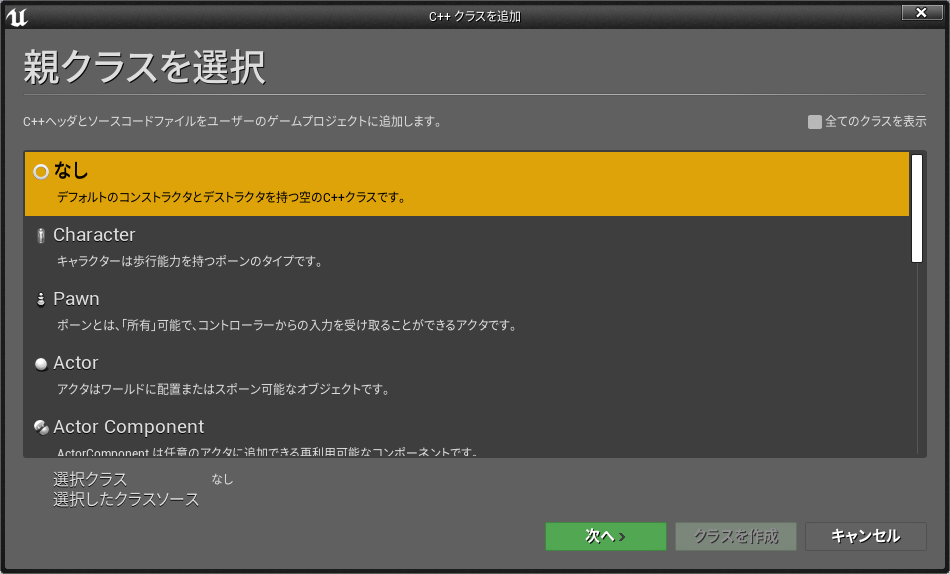
左上の「ファイル」から「新規C++クラス」を選びます。親クラスは「Actor」にしてください。名前は「JsonLoad」にしてください。「public」か「private」を選ぶところがあるので「public」を選択してください。
C++ファイルができたのを確認したら、現在開いているプロジェクトの「Source/<プロジェクト名>/<プロジェクト名>.Build.cs」を開き、「Core」や「Engine」などが書かれているところに「Json」と「JsonUtilities」を追加し保存してください。
using UnrealBuildTool;

public class blog : ModuleRules
{
	public blog(ReadOnlyTargetRules Target) : base(Target)
	{
		PCHUsage = PCHUsageMode.UseExplicitOrsharedPCHs;

		PublicDependencyModuleNames.AddRange(new string[] {"Core", "CoreUObject", "Engine", "InputCore", "Json", "JsonUtilities"});
		PrivateDependencyModuleNames.AddRange(new string[] {});
	}
}
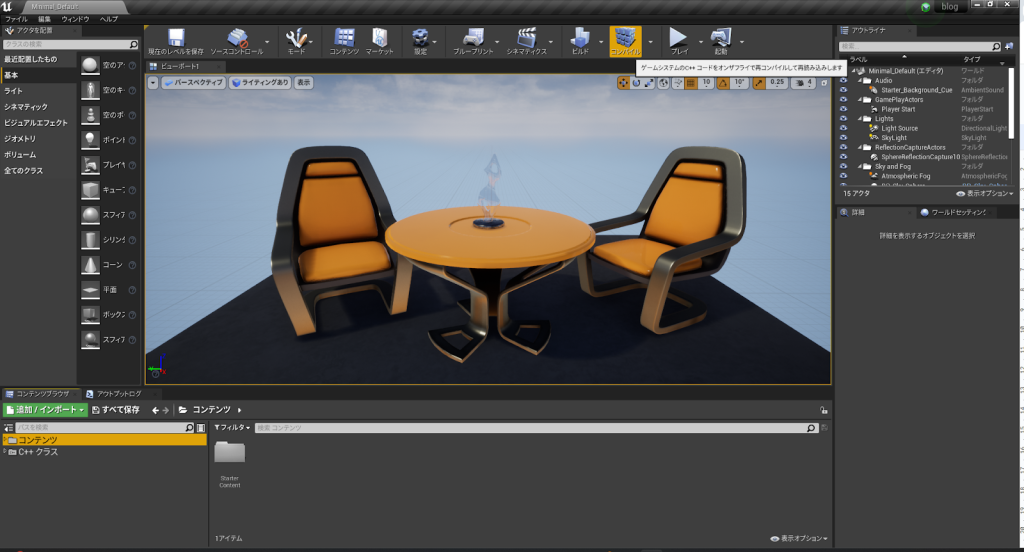
その後、UEに戻り「コンパイル」と書かれているところをクリックしてください。コンパイルが成功したら、念のためプロジェクトを再起動しましょう。
再起動したら、作成したC++ファイル(.hと.cpp)を以下のように編集します。
.hファイル
#pragma once

#include "CoreMinimal.h"
#include "GameFramework/Actor.h"
#include "Json.h"
#include "Runtime/Json/Public/Serialization/JsonReader.h"
#include "JsonUtilities/Public/JsonUtilities.h"
#include <sys/stat.h>
#include <stdio.h>
#include "JsonLoad.generared.h"

typedef TSharedPtr<FJsonObject> JsonObjectPtr;
UCLASS()
class BLOG_API AJsonLoad : public AActor
{
	GENERATED_BODY()

public:
	AJsonLoad();
protected:
	virtual void BeginPlay() override;
public:
	virtual void Tick(float DeltaTime) override;

	UFUNCTION(BlueprintCallable, Category = "MyBPLibrary")
	void LoadJson(const FString& filePath);

	FUNCTION(BlueprintCallable, Category = "MyBPLibrary")
	void LoadJsonString(const FString& JsonData);

	FUNCTION(BlueprintCallable, Category = "MyBPLibrary")
	FString GetValue(int index, const FString& paramName);

	FUNCTION(BlueprintCallable, Category = "MyBPLibrary")
	TArray<FString> GetArrayValue(int index, const FString& paramName);

	FUNCTION(BlueprintCallable, Category = "MyBPLibrary")
	bool GetValue_b(int index, const FString& paramName);

	FUNCTION(BlueprintCallable, Category = "MyBPLibrary")
	TArray<bool> GetArrayValue_b(int index, const FString& paramName);

	FUNCTION(BlueprintCallable, Category = "MyBPLibrary")
	float GetValue_f(int index, const FString& paramName);

	FUNCTION(BlueprintCallable, Category = "MyBPLibrary")
	TArray<float> GetArrayValue_f(int index, const FString& paramName);

	FUNCTION(BlueprintCallable, Category = "MyBPLibrary")
	bool GetObjectIndex(int index, const FString& paramName, int& outIndex);

	FUNCTION(BlueprintCallable, Category = "MyBPLibrary")
	bool GetArrayObjectIndex(int index, const FString& paramName, TArray<in>t& outIndexs);

private:
	TArray<JsonObjectPtr> objects;
	FString path;
	FString jsonString;
	struct stat filestat;

}
.cppファイル
#include "JsonLoad.h"
#include "Kismet/KismetSystemLibrary.h"

AJsonLoad::AJsonLoad()
{
	PrimaryActorTick.bCanEverTick = true;
}

void AJsonLoad::BeginPlay()
{
	Super::BeginPlay();
}

void AJsonLoad::Tick(float DeltaTime)
{
	Super::Tick(DeltaTime);
}

void AJsonLoad::LoadJson(const FString& filePath)
{
	objects.Empty();
	path = filePath;
	stat((const char*)TCHAR_TO_ANSI(*path),&filestat);

	bool result = false;
	FString jsonStr;
	FFileHelper::LoadFileToString(jsonStr,*(path));
	TsharedRef<TJsonReader<>> jsonReader = TJsonReaderFactory<>::Create(jsonStr);
	jsonString = jsonStr;

	JsonObjectPtr jsonRootObject = MakeShareable(new FJsonObject());
	result = FJsonSerializer::Deserialize(jsonReader, jsonRootObject);

	if(result)
	{
		objects.Add(jsonRootObject);
	}
}

void AJsonLoad::LoadJsonString(const FString& JsonData)
{
	objects.Empty();

	bool result = false;
	TsharedRef<TJsonReader<>> jsonReader = TJsonReaderFactory<>::Create(JsonData);
	jsonString = JsonData;

	JsonObjectPtr jsonRootObject = MakeShareable(new FJsonObject());
	result = FJsonSerializer::Deserialize(jsonReader,jsonRootObject);

	if(result)
	{
		objects.Add((jsonRootObject);
	}

}

FString AJsonLoad::GetValue(int index,const FString& paramName)
{
	FString value = "";
	if(index >= objects.Num() || index < 0)
	{
		return value;
	}
	value = objects[index]->GetStringField(paramName);
	return value;
}

TArray<FString> AJsonLoad::GetArrayValue(int index, const FString& paramName)
{
	TArray<FString> value;
	if(index >= objects.Num() || index < 0)
	{
		return value;
	}
	Tarray<TSharedPtr<FJsonValue>> jArray = objects[index]->GetArrayField(paramName);
	for(auto element : jArray)
	{
		FString v = element->AsString();
		value.Add(v);
	}
	return value;
}

bool AJsonLoad::GetValue_b(int index, const FString& paramName)
{
	bool value = false;
	if(index >= objects.Num() || index < 0)
	{
		return value;
	}
	value = objects[index]->GetBoolField(paramName);
	return value;

}


TArray<bool> AJsonLoad::GetArrayValue_b(int index, const FString& paramName)
{
	TArray<bool> value;
	if(index >= objects.Num() || index < 0)
	{
		return value;
}
Tarray<TSharedPtr<FJsonValue>> jArray = objects[index]->GetArrayField(paramName);
	for(auto element : jArray)
	{
		bool v = element->AsBool();
		value.Add(v);
	}
	return value;
}

float AJsonLoad::GetValue_f(int index, const FString& paramName)
{
	float value = -1.0f;
	if(index >= objects.Num() || index < 0)
	{
		return value;
	}
	double dValue = (objects.[index]->GetNumberField(paramName));
	value = UKismetSystemLibrary::MakeLiteralFloat(dValue);
	return value;

}


TArray<float> AJsonLoad::GetArrayValue_f(int index, const FString& paramName)
{
	TArray<float> value;
	if(index >= objects.Num() || index < 0)
	{
		return value;
	}
	Tarray<TSharedPtr<FJsonValue>> jArray = objects[index]->GetArrayField(paramName);
	for(auto element : jArray)
	{
		double dValue = (element->AsDouble());
		float v = UKismetSystemLibrary::MakeLiteralFloat(dValue);
		value.Add(v);
	}
	return value;
}


bool AJsonLoad::GetObjectIndex(int index, const FStirng& paramName, int& outIndex)
{
	bool isSuccess = false;
	outIndex = -1;
	if(index >= objects.Num() || index < 0)
	{
		return isSuccess;
	}

	JsonObjectPtr addObj = objects[index]->GetObjectField(paramName);
	objects.Add(addObj);
	outIndex = objects.Num() - 1;

	isSuccess = true;
	return isSuccess;

}

bool AJsonLoad::GetObjectIndex(int index, const FStirng& paramName, TArray<int>& outIndexs)
{
	bool isSuccess = false;
	if(index >= objects.Num() || index < 0)
	{
	return isSuccess;
	}

	JsonObjectPtr jArray = objects[index]->GetObjectField(paramName);
	for(auto element : jArray)
	{
		JsonObjectPtr jElement = element->AsObject();
		objects.Add(jElement);
		int addIndex = objects.Num() - 1;
		outIndexs.Add(addIndex);
	}

	isSuccess = true;
	return isSuccess;

}
編集したら保存し、またUEで「コンパイル」しましょう。
コンパイルが成功したらC++はこれで終わりです。
・ブループリントで使ってみる
まずは読み込むためのjsonファイルを作成しましょう。
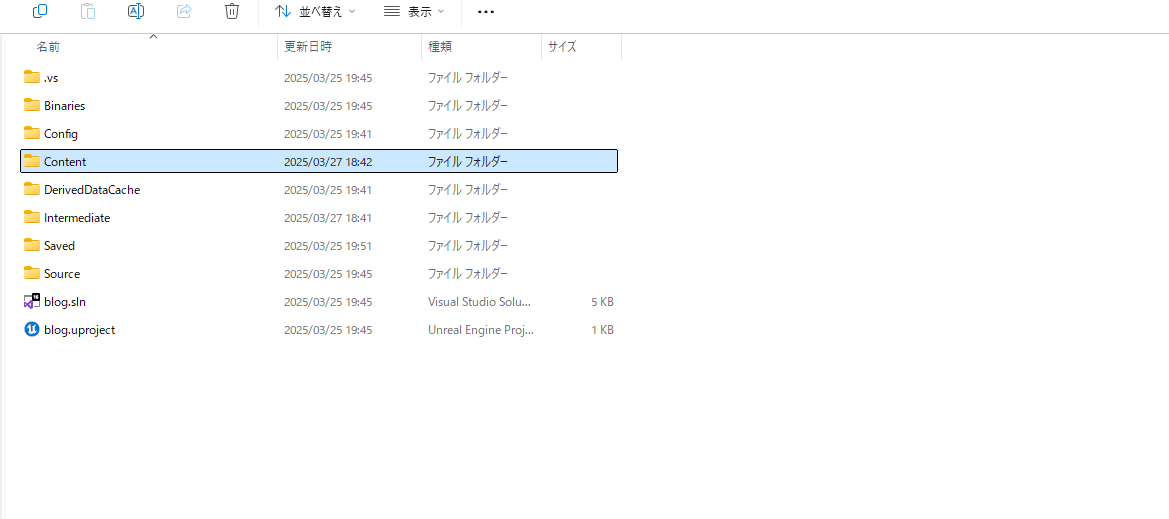
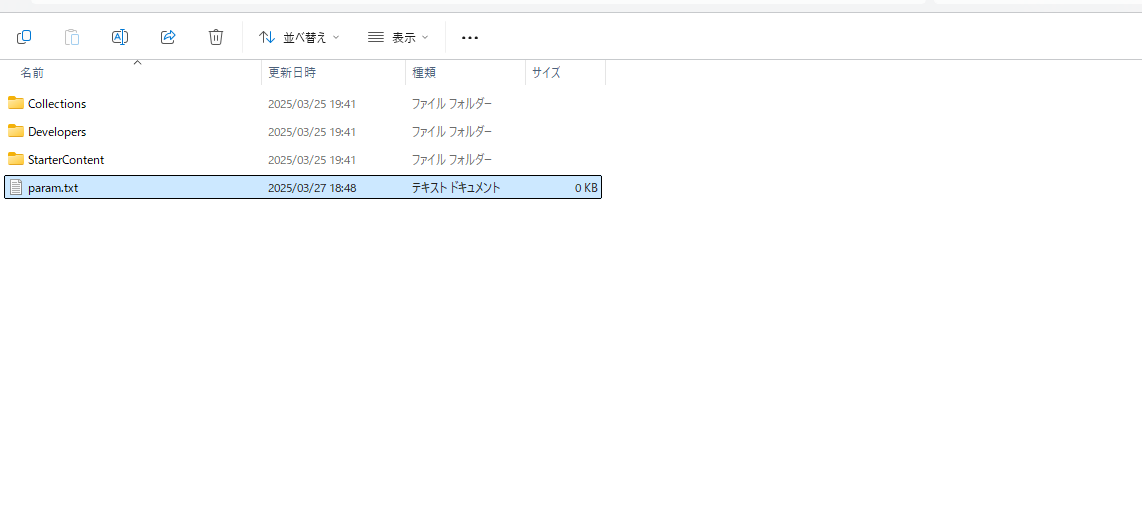
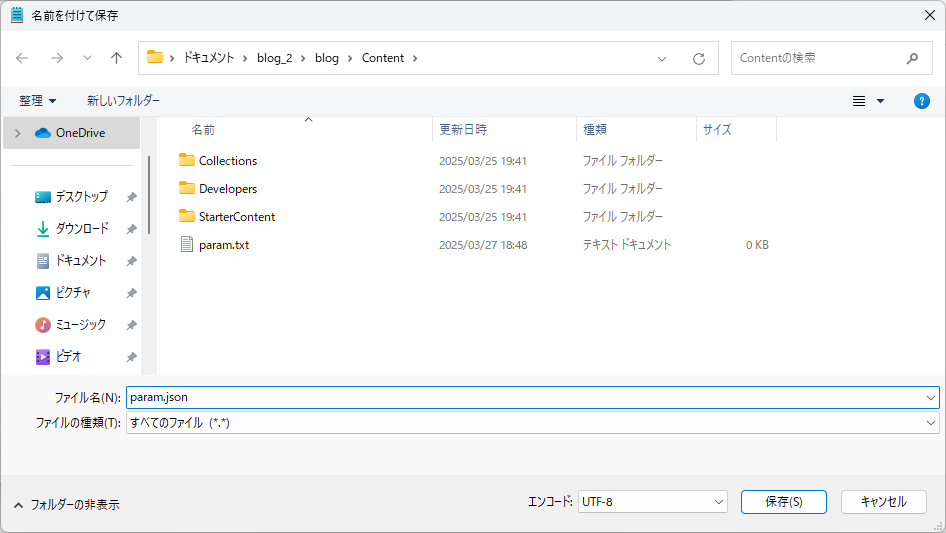
プロジェクトが入っているフォルダの「content」フォルダにテキストファイルを作成します。名前は「param.txt」にしておきます。その後そのテキストファイルを開き「ファイル」から「名前を付けて保存」を選び、フォルダ名の下にあるファイルの種類を「すべてのファイル」にし、名前を「param.json」にします。
{
	"name":"mike",
	"age":30
}
保存できたらテキストファイルは削除し、jsonファイルをvsCodeなどで開き、以下のように編集してください。
次はブループリントで作成します。
「コンテンツブラウザ」に「BluePrint」のフォルダを作成します。
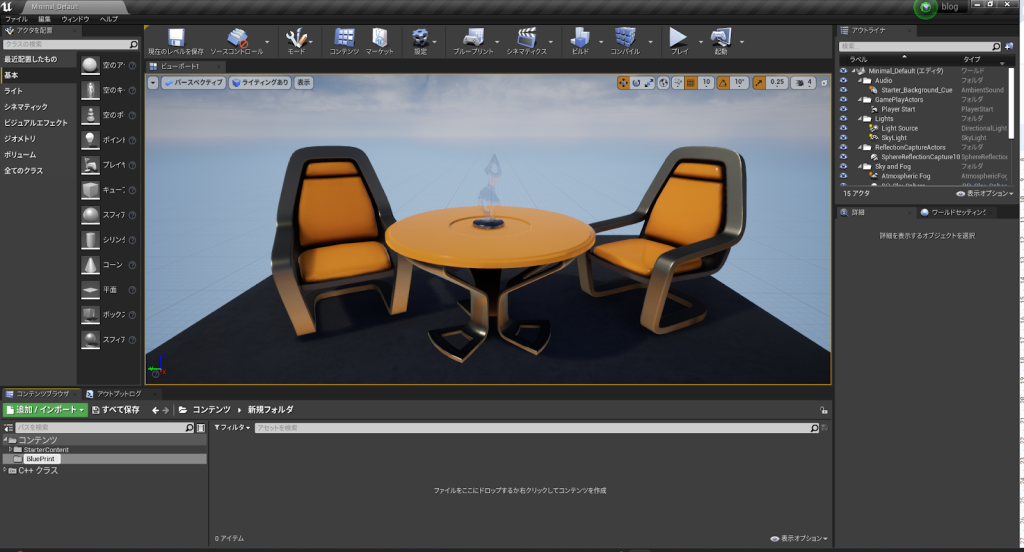
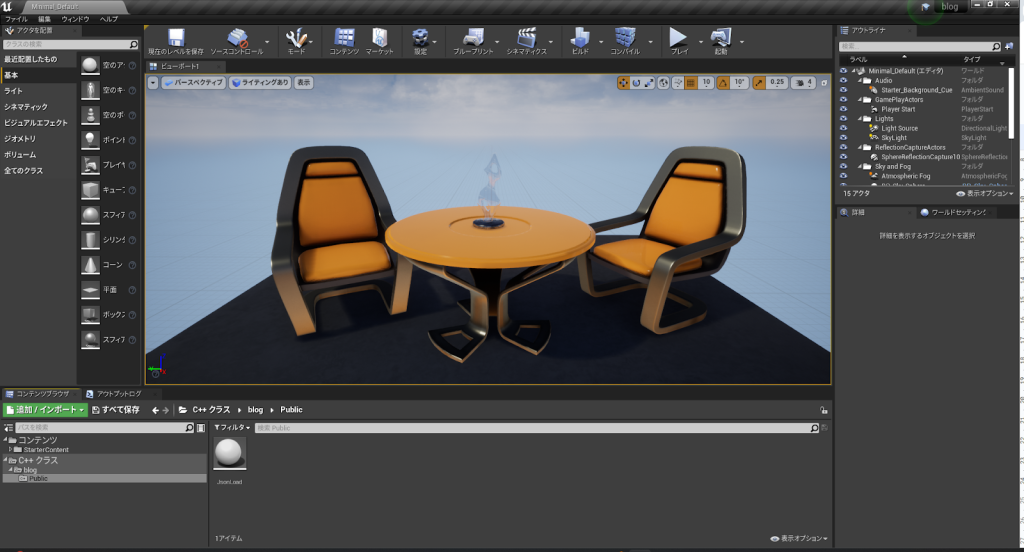
「コンテンツブラウザ」の「C++クラス」というフォルダを開き、「<プロジェクト名>/public」の中にある先ほど作成した「JsonLoad」を右クリックします。
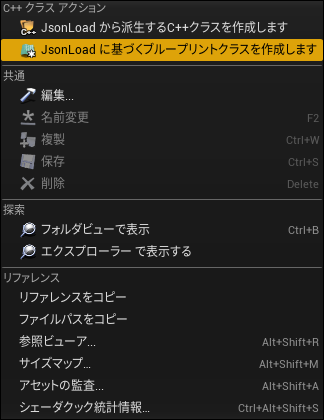
そうしたら、「JsonLoadに基づくブループリントクラスを作成」を選択します。
名前は「BP_JsonLoader」にしてください。場所は先ほど作成した「BluePrint」にしてください。
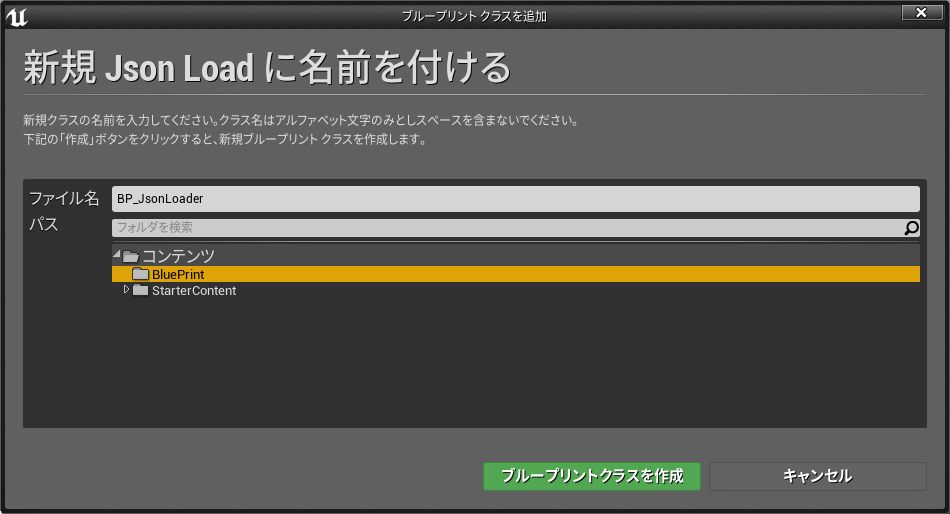
作成したら、「BP_JsonLoader」のブループリントを開き、「イベントグラフ」で右クリックし、「Load Json」と入力し「Load Json」を選択します。
そうするとブループリント上に「Load Json」が出てきます。
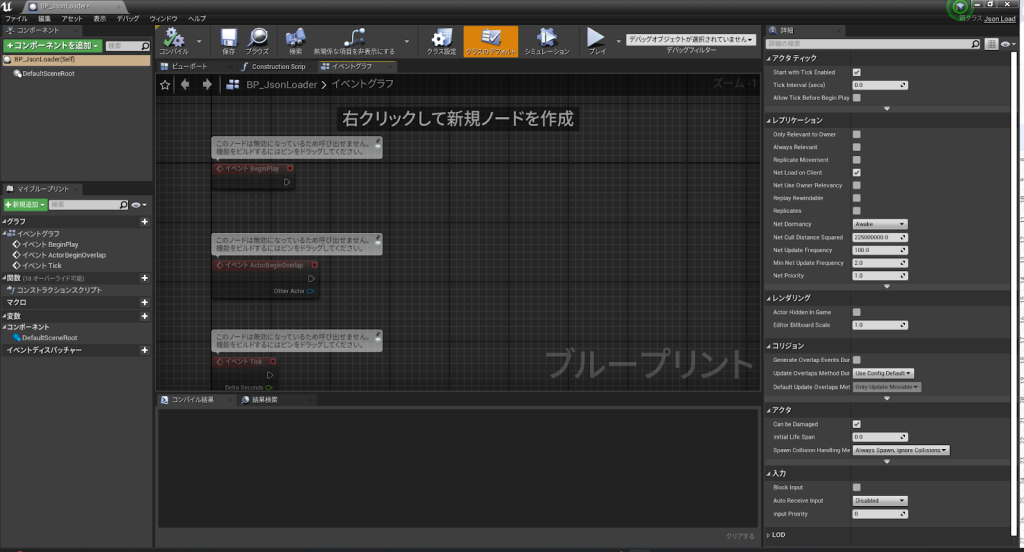
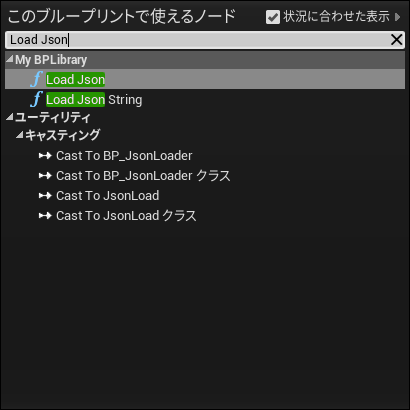
こちらは本来UEには存在しない関数ですが、「JsonLoad」をもとに作成したアクターなので、そのC++で作成した関数を一部使用することができます。
「Load Json」を「BeginPlay」に繋ぎ、「File Path」に以下のものと繋げてください。
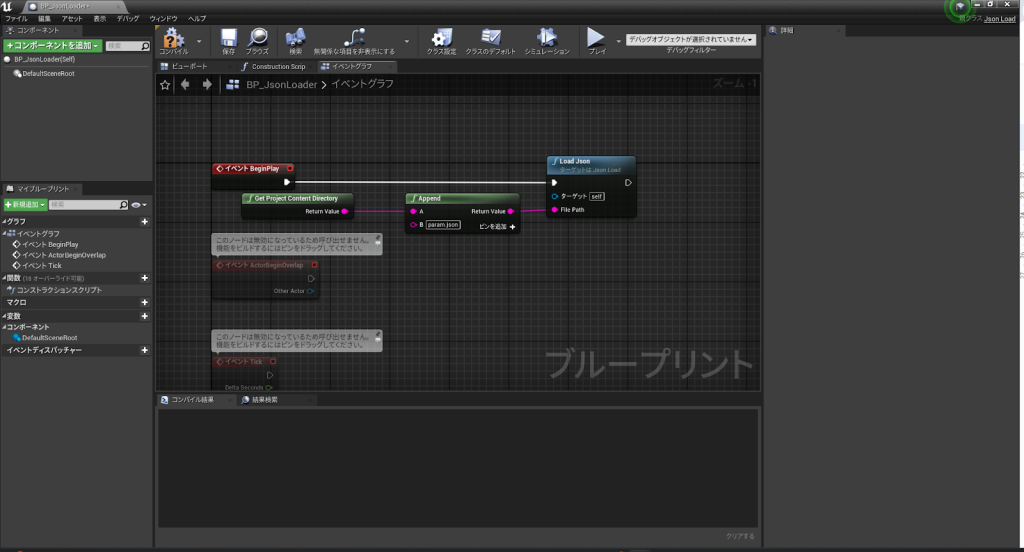
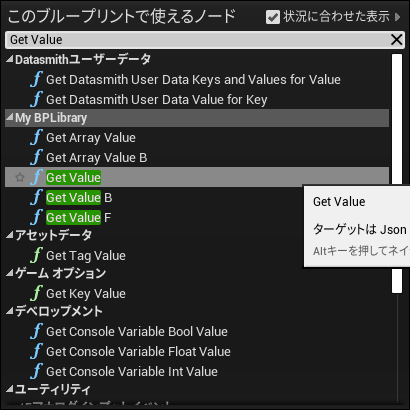
その後、イベントグラフの空いてるところで右クリックし、「Get Value」と入力してください。そうしたら「Get Value」関数が出てくるので選択します。
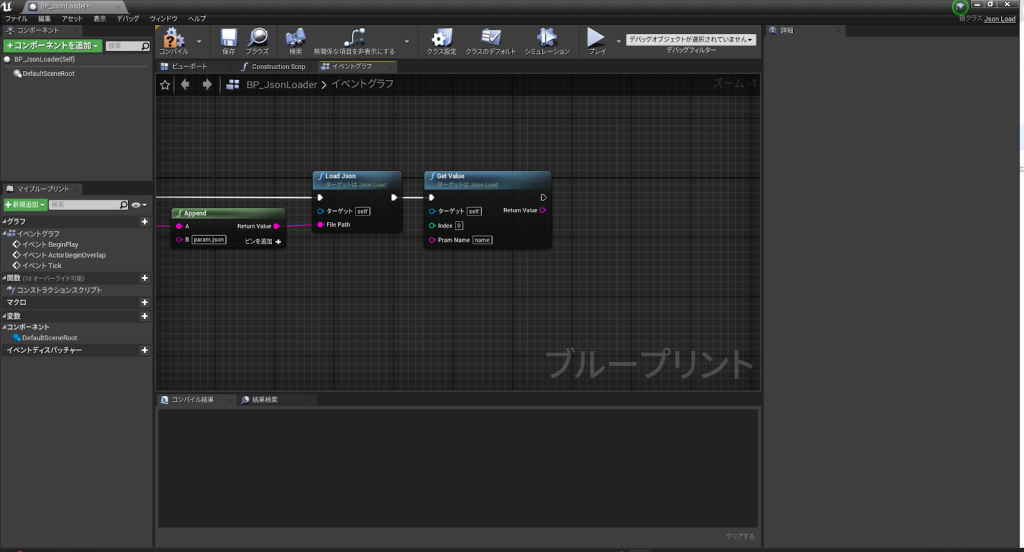
「Get Value」を「Load Json」の右に繋ぎ、「Pram Name」を「name」にしてください。
そうしたら今度はまたイベントグラフで右クリックし、「Print String」と入力し選択します。
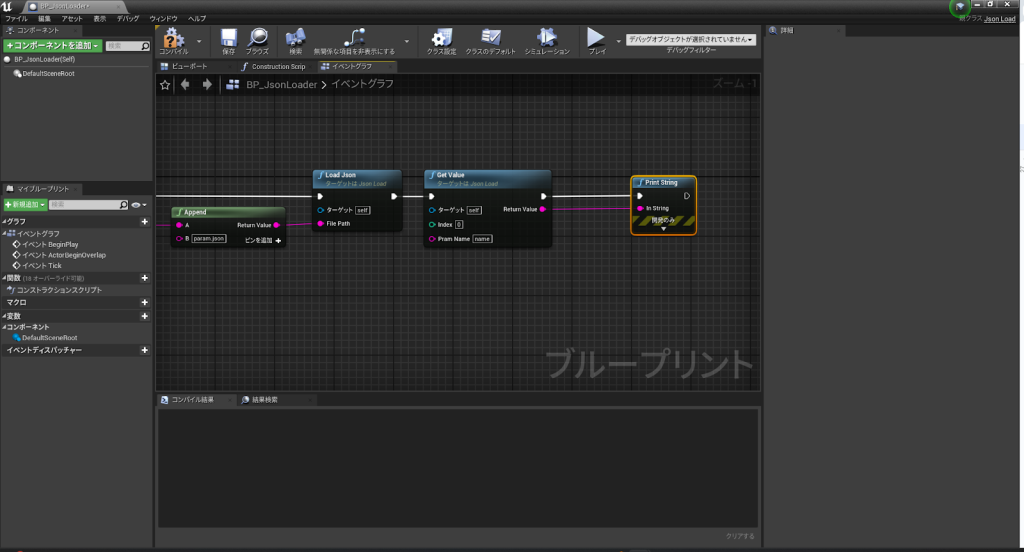
「Get Value」の右に「Print String」を繋ぎ、「Return Value」を「In String」に繋ぎます。
最後に「保存」を押してください。
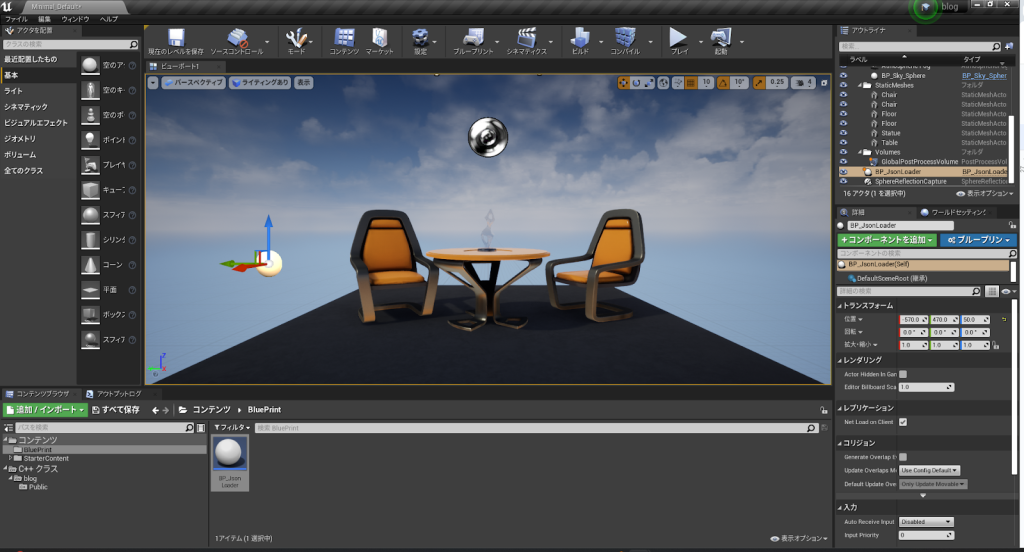
これらが終わったら、このアクターをレベルに配置します。
「コンテンツブラウザ」の「BP_JsonLoader」を「ビューポート」にドラッグアンドドロップしましょう。
配置できたら上の「プレイ」を押して実行しましょう。
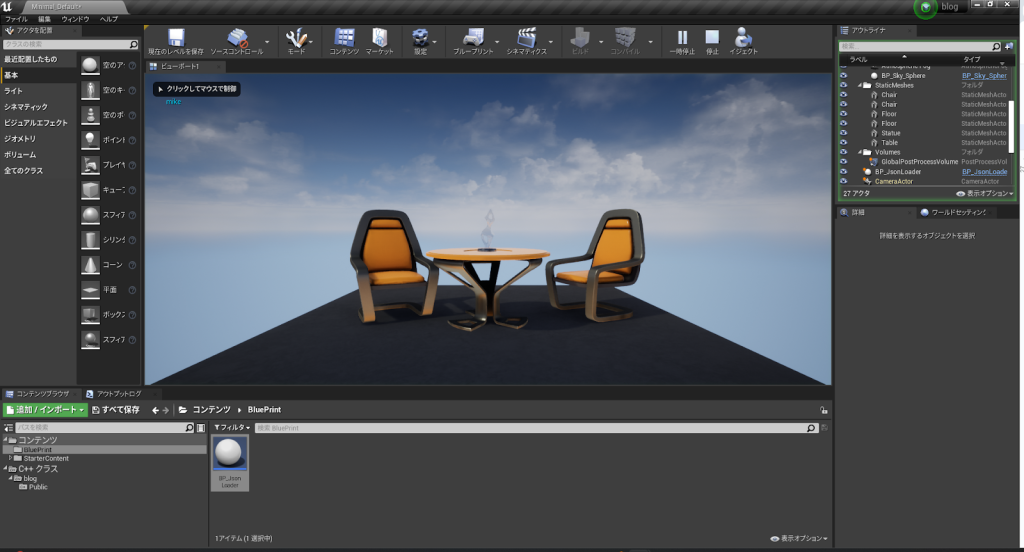
ビューポート左上に「mike」と表示されていたら成功です。
まとめ
これでUE4でjsonが使えるようになりました。
jsonでパラメータを設定しておくとエディタを開かずにオブジェクトのスポーン数や敵のHPなどを設定できるようになります。
また、パッケージ化しても値が変更できるので何か簡単なツールを作る際に役に立ちます。
ゲーム開発やその他の開発に役立てましょう。